






See the trade before you sign.
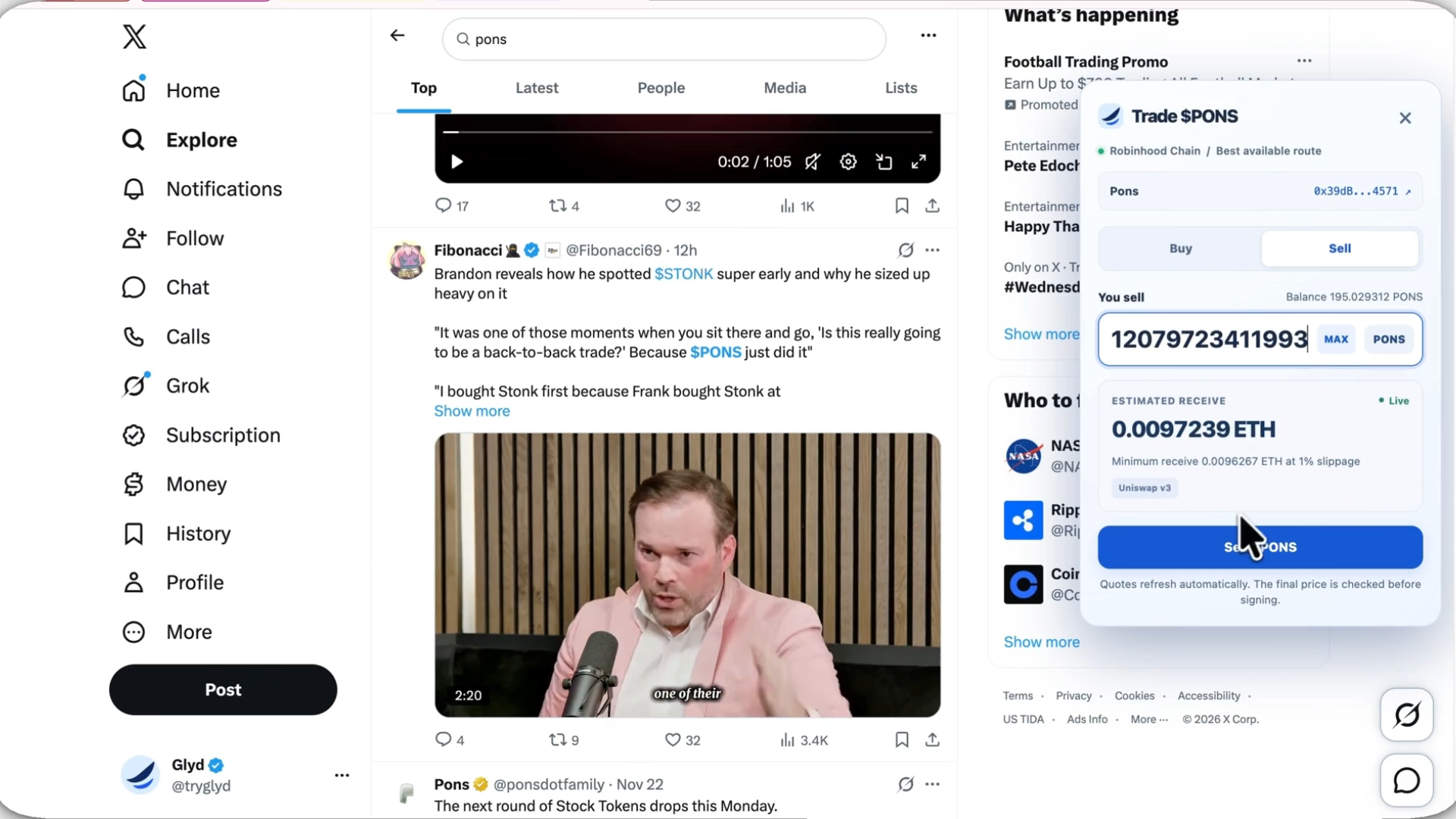
Open a trade from a supported cashtag. Check the live quote, route, and minimum you’ll receive before confirming.
- Open cashtag
- Review quote
- Confirm swap
 Glyd
Swap Robinhood Chain tokens from a cashtag or launch a token from a post, right on X.
 Add to Chrome
CA: TBA
You choose what appears in your feed and what gets signed onchain.
Open a trade from a supported cashtag. Check the live quote, route, and minimum you’ll receive before confirming.
The extension encrypts your wallet keys locally and uses them to sign on your device.
Turn Swap and Launch controls on or off independently in the extension’s settings.
Download and install Glyd manually on desktop Chrome. Follow the Chrome installation guide for each step.
Glyd runs on Robinhood Chain. You’ll need ETH on Robinhood Chain to pay network fees.
Glyd shows trade controls for supported cashtags on X. Open the trade panel to check whether a route is available and review the quote before confirming.
Hover over a post and choose Create token. You can edit the name, ticker, image, and links in the draft before reviewing the launch.
Glyd encrypts your wallet keys in your browser and signs transactions on your device. Exporting a private key requires your passcode.
Yes. Open the extension and go to Profile → Settings. You can turn Swap controls and Launch controls on or off independently.